MS Windows Backup allows the option of backing up to a remote share. Since the remote folder is, remote, MS Windows Backup prompts for the remote username and password, to gain access.
Given that it is a ‘remote’ username, it is not a local user to the Windows machine that is being backed up. Yet, it fails because the remote username is unknown locally. What?? Of course it’s not known locally, because it’s a remote username.
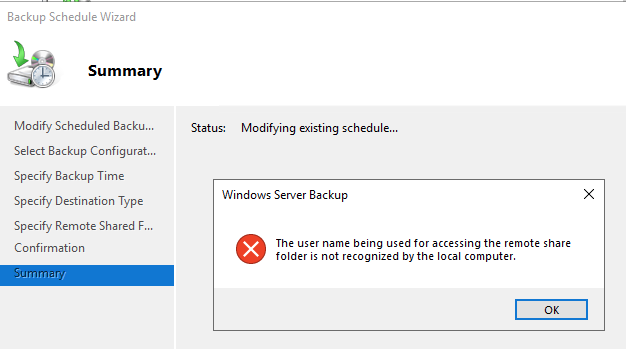
This is a strange message to me. Behind the scenes though, and I’ll test my theory later, that I’m logged into Windows in an account that already has a network connection, mapped drive to that remote fileshare, using my own remote username. And I’m using a different remote login for backups. I think Windows Backup, is trying to test that the remote username I typed into this Backup Schedule Wizard, that it actually works. But Windows cannot make a second connection to the remote share using a different account. That’s my theory for now.
Either way, the message is strange and funny. We welcome you to use a foreign login, yet because the foreigner is not known locally, uh, no not gonna work. lol

 Avalanche SQL Blog